Digital Business Cards
Using Digital Business Cards at Trade Shows and Events
How to collect visitor details at trade shows and conferences with digital business cards, booth QR codes and surveys, plus pre-event preparation and follow-up, step by step.
Trade shows and conferences are among the most effective ways to meet a large number of potential customers in a short time. But when the event is over, most teams are left with a stack of business cards, notes nobody can place and conversations that never get followed up. Digital business cards and QR codes bring order to the whole process: introductions are faster, visitor details are collected systematically and post-event follow-up becomes measurable. In this guide we offer a practical plan for before, during and after the event.
The problems with paper business cards at events
- They run out: On a busy trade show day, the box empties.
- They get lost: Among the dozens of cards in a visitor's bag, yours gets overlooked.
- They have to be typed in: Visitors have to enter your details into their contacts one by one, and usually do not.
- They leave no trace: You cannot tell how many people kept your card or how many looked you up.
- They are one-way: You hand over your card, but you do not collect the visitor's details in an organized way.
A digital business card solves the first four problems directly. For the fifth, you need a lead capture or feedback form at the booth. You can find the basics in our guide what is a digital business card.
Before the event
1. Check the team's cards
Make sure everyone working at the booth has an up-to-date digital business card: job title, phone, email, company details. If you are going to an international trade show, check that the cards display correctly in English (or in the visitors' language).
2. Plan the booth QR codes
Give each QR code a single, clear purpose. For a typical booth:
| QR code | Purpose | Where? |
|---|---|---|
| Company business card or multi-link | Company details, website, social media | Booth panel, brochure |
| Product catalog (PDF) | Product and service details | Product display, table |
| Visitor details / inquiry form | Collecting lead details | Welcome desk |
| Feedback survey | Booth and product experience | Exit point, table |
| Guest Wi-Fi | Demos or presentations at the booth | Meeting corner |
For the Wi-Fi code, see our guide on creating a Wi-Fi QR code.
3. Use dynamic codes
Booth designs usually go to print weeks before the event. If you use dynamic QR codes, you do not need to change the printed code even if the catalog or campaign page changes at the last minute. You can also see how many times each code was scanned.
4. Test the print
Print the code on the booth panel large enough to be scanned from where visitors will stand. Exhibition hall lighting can be deceptive; avoid glossy surfaces and, if possible, do a test run in similar light.
5. Prepare a short checklist for the team
- Can everyone open their own business card on their phone in a few seconds?
- Does the team know which code to show visitors in which situation?
- Is the visitor form or survey live and tested?
- Are the phones charged, and is there a charging point and a spare power bank at the booth?
- Is it clear who will do the post-event follow-up, and within what timeframe?
During the event
- Sharing business cards: Team members show their card on their phone screen; visitors scan the code and save it to their contacts with one tap. For visitors who do not want to scan, the card link can be sent via WhatsApp.
- Name badges: Printing each team member's personal business card QR code on the back of their name badge lets them share it in a crowd without taking out their phone.
- Collecting details: Ask visitors you have spoken with to fill in a short inquiry form on the booth tablet or their own phone. Keep the form short: name, company, email, area of interest and "how would you like us to contact you?" are enough.
- Taking notes: Jot down a short note after every important conversation; this is the most valuable information for follow-up after the event.
- Feedback: Offer visitors leaving the booth a very short (2-3 question) satisfaction survey.
For speakers and presentations
If you are presenting at a conference, put the QR code for your personal business card and the resources related to your talk on the final slide. Show the code large enough to be scanned from the back rows and leave it on screen throughout the Q&A. If you share the presentation file with a dynamic code that points to a PDF, the same code keeps working even when you update the presentation after the event.
Collecting visitor details responsibly
If you collect personal data, explain to visitors why it is being collected and how it will be used, and comply with the applicable data protection legislation, such as the GDPR. Sending marketing messages may require separate consent; ask your legal team for advice on this.
After the event
The real value of an event shows in the follow-up over the following two weeks.
- First 48 hours: Send a short, personal thank-you email to the people you met. The business card with a QR code in your email signature reminds them of your contact details once more.
- Prioritize: Rank the leads you collected by level of interest; pass hot leads to the sales team right away.
- Tailored content: Send a catalog, a quote or a demo invitation based on each person's interests.
- Measure: Look at the scan counts for the business cards, the catalog code and the surveys. Use what you learn about which codes attracted interest when planning the next event.
- Review the feedback: Share booth visitors' comments with the team.
- Make notes for the next event: Gather what worked, which codes were never scanned and the team's suggestions in a short review note. This note will significantly shorten preparation for the next trade show.
Simple metrics for measuring event success
| Metric | Where from? |
|---|---|
| Business card scans | Digital business card statistics |
| Catalog and booth code scans | QR code statistics |
| Number of leads collected | Responses to the lead capture form |
| Booth satisfaction | Feedback survey results |
| Number of post-event meetings | Sales team records |
Common mistakes
- Putting one giant QR code on the booth panel without saying what it is for
- Printing a static code and then being unable to redirect it when the page changes before the event
- Making the visitor form too long
- Assuming the internet will always work in the exhibition hall (test on mobile data)
- Putting off post-event follow-up for weeks
Preparing for events with EcoQrCard
EcoQrCard lets you manage every step of the plan above from one dashboard.
Digital business cards: Every member of your team has a digital business card ready in the company design. Employees open their card in the mobile app, show the QR code or send it via WhatsApp. Because the card can open in five languages, it can be presented to visitors in their own language at international trade shows.
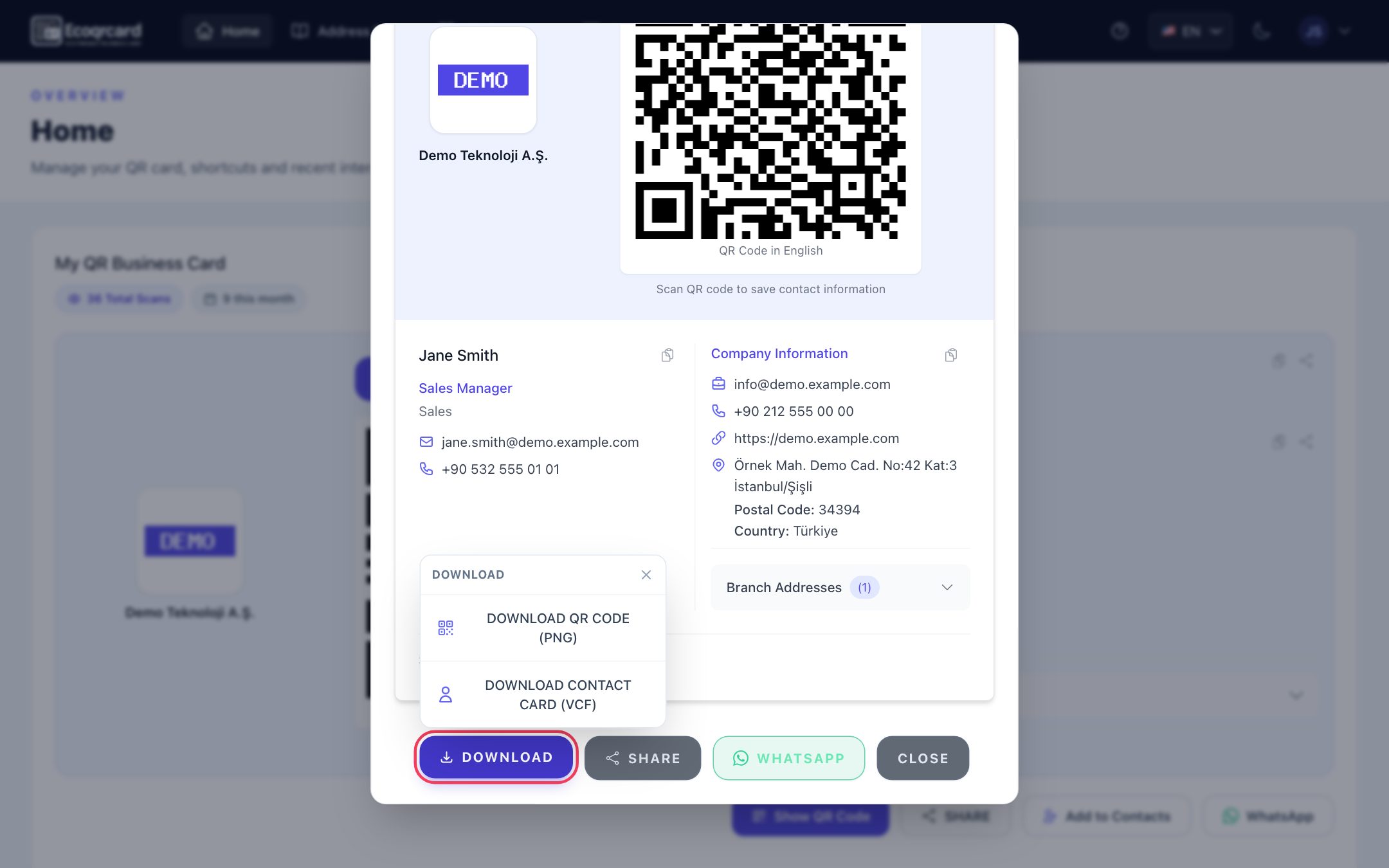
Booth QR codes: With the QR Generator you can create catalog, PDF, multi-link, event, feedback, survey and Wi-Fi codes with your company logo and download them as print-ready PNGs (the branded image is downloaded with the PNG button below the preview on the create form). With dynamic codes, the printed code stays the same even if the content changes at the last minute, and you see the scans for each code separately. You can keep codes in Draft while you prepare and set them to Active on the morning of the show.
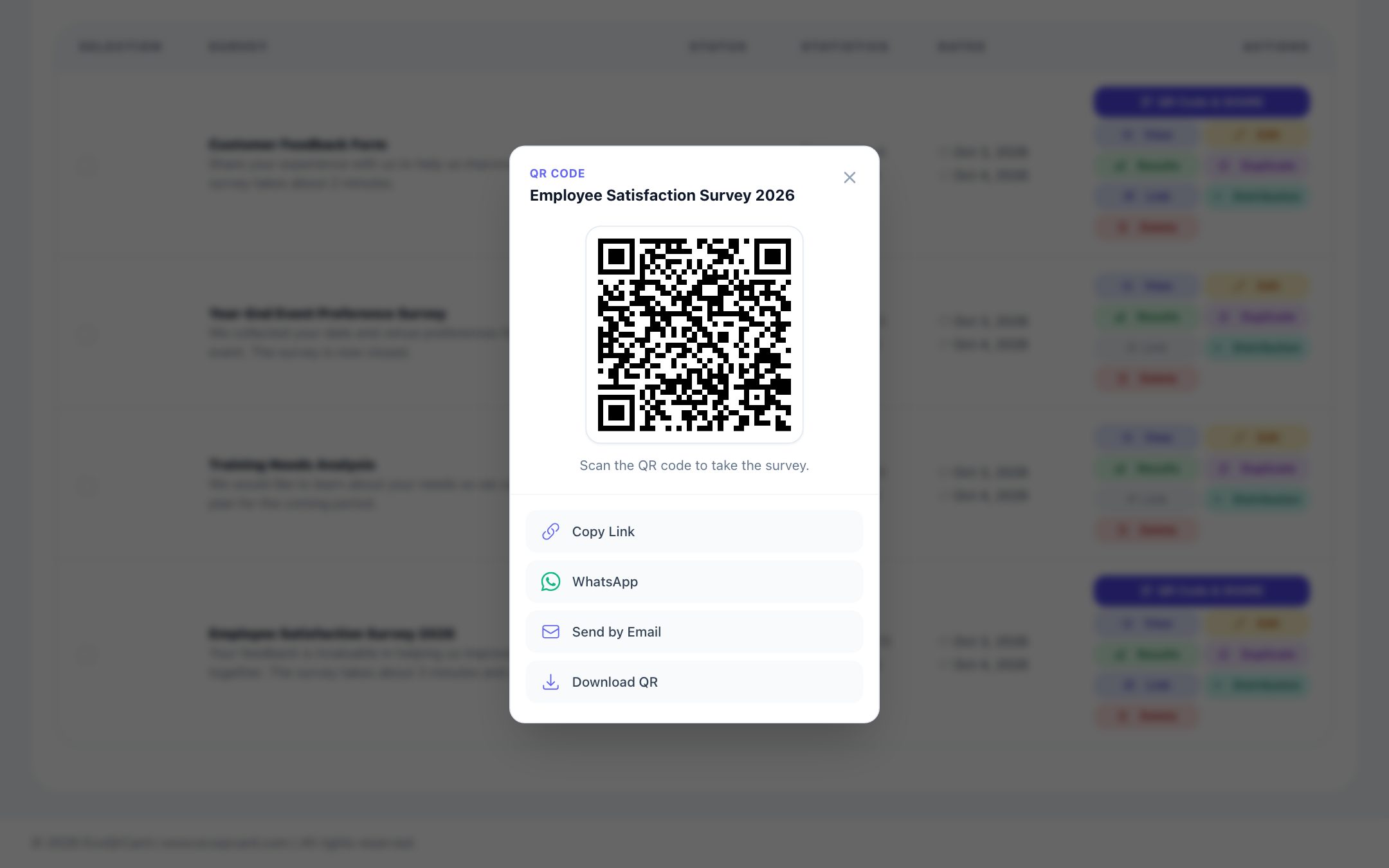
Collecting details and feedback: With the EcoQrCard survey system, you can prepare a short visitor form or satisfaction survey and share it via QR code and link. In identified surveys, participants start the survey with their email address, so you know who to follow up with. Anonymous surveys are better suited to honest feedback. If you want everyone at the booth to be able to take part via the QR code, do not add a distribution list to an identified survey: if there is at least one person on the list, only the email addresses on the list can take part. For survey design methods, see our guide on how to create a customer satisfaction survey.
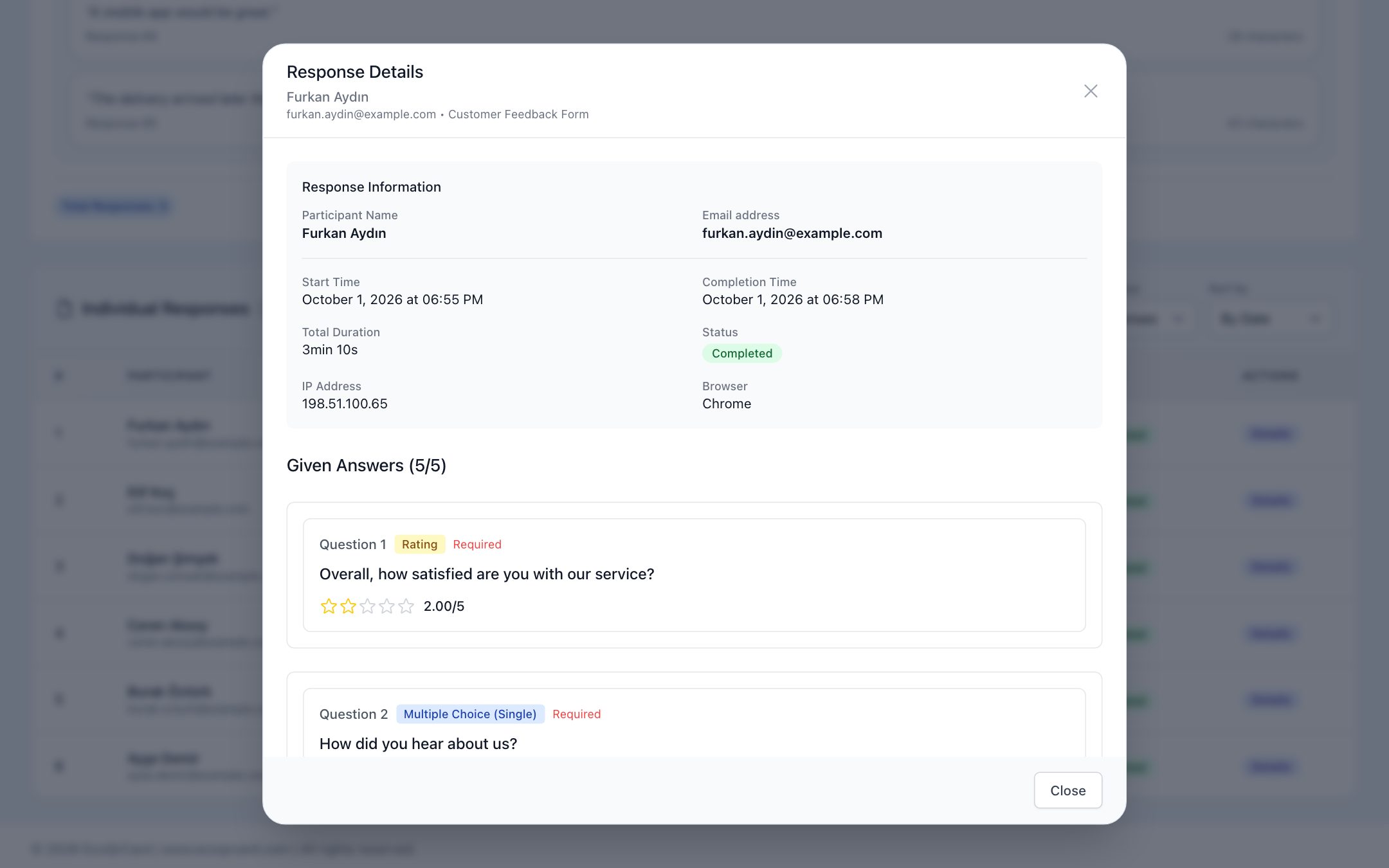
Follow-up: In the survey results, you can see each participant's answers one by one (with their name and email in identified surveys) and turn all results into a printable report that you can save as a PDF. Because exporting responses to Excel is not currently available, you transfer the follow-up list from the individual responses into the tool your sales team uses. The email signature with a QR code that you use in your post-event emails is managed from the same dashboard. Scan statistics for business cards and booth codes show which touchpoints worked.
If you would like to arrive at your next trade show ready with your team's digital business cards, booth codes and visitor survey, fill in the quote request form and we will set things up to fit your event plan together.
Frequently Asked Questions
Should I still take printed business cards to a trade show?
Taking a small number can be a good backup, especially for visitors who are not comfortable with digital sharing. If you add your digital business card's QR code to your printed cards, the code opens your current card even if your details change.
How can I collect visitors' details?
A short form or an identified survey opened via a QR code at the booth is the most practical way. Keep the form short, explain why the details are being collected and comply with the applicable data protection legislation.
How many QR codes should I use at my booth?
Each code should have a single, clear purpose. For most booths, 2-4 codes are enough: company details, catalog and a visitor form or feedback survey. Write what each code is for next to it.
How can I measure the success of a trade show?
Scan counts for business cards and booth codes, the number of leads collected, survey results and post-event meetings together give a good picture. Dynamic QR codes make this measurement possible.
What if the internet connection in the exhibition hall is weak?
Digital business cards and dynamic QR codes need an internet connection to open the page. Test the codes on mobile data beforehand, and have separate Wi-Fi and, if necessary, a mobile hotspot at the booth for demos and presentations.