Surveys
How to Create a Customer Satisfaction Survey
How to build a short, clear customer satisfaction survey that starts with the right goal and uses the right scales, step by step, and how to interpret the results.
A customer satisfaction survey is the most direct way to hear about your customers' experience with you in their own words. But not every survey works: a survey with an unclear goal, too many questions and leading wording gets low participation and misleading results. In this guide we explain how to design a good customer satisfaction survey, what the different scales are for, how to distribute the survey and how to interpret the results.
1. Clarify the goal
Before you start writing questions, define a one-sentence goal. Examples:
- "Find out at which stage of the delivery process customers become dissatisfied"
- "Compare service quality at our new location with our existing locations"
- "Measure how likely our customers are to recommend us to others"
The goal also determines which questions you ask. A "let's find out everything" approach leads to long, unfocused surveys. For every question you are thinking of adding, ask yourself: "What will we do with the answer to this question?" If there is no answer, drop the question.
2. Choose the right scale: CSAT, NPS and others
| Scale | What it measures | Typical question | How to interpret it |
|---|---|---|---|
| CSAT (Customer Satisfaction Score) | Satisfaction with a specific experience | "How satisfied were you with our service today?" (1-5) | Usually the share of respondents giving the top two scores |
| NPS (Net Promoter Score) | Overall loyalty and likelihood to recommend | "How likely are you to recommend us to a friend?" (0-10) | The share of 0-6 scores is subtracted from the share of 9-10 scores |
| CES (Customer Effort Score) | How easy an interaction was | "How easy was it to resolve your issue?" (1-5 or 1-7) | Lower effort means a better experience |
| Open-ended question | Reasons and suggestions | "What could we have done to make your experience better?" | Read by grouping answers into themes |
A practical approach: start with a numeric scale (CSAT or NPS), then ask "why?" as an open-ended question. The number tells you what happened; the open-ended answer tells you why.
Be consistent when using scales: keep the same direction (low = bad, high = good) and the same range throughout the survey.
3. Use question types correctly
The examples below are general examples written for this guide:
- Single choice: "How did you hear about us?" (Search engine / Recommendation / Social media / Other)
- Multiple choice: "Which of our services have you used?"
- Rating: "Rate the attentiveness of our staff from 1 to 5."
- Yes / No: "Was your request resolved at first contact?"
- Short / long text: "Is there anything you would like to add?"
- Matrix: To rate several attributes (speed, courtesy, price) on the same scale.
What to avoid when writing questions
- Leading questions: Ask "How satisfied are you with our service?" rather than "How satisfied are you with our excellent service?"
- Double-barreled questions: "Were our staff fast and polite?" is two separate questions.
- Vague wording: Words like "often" or "usually" mean different things to different people.
- Technical jargon: Use the language your customers use.
- Mandatory open-ended questions: They tire participants out; keep open-ended questions optional.
4. Keep it short
The longer the survey, the higher the drop-off rate. For a post-service satisfaction survey, 5-10 questions and 2-3 minutes is a good target. A more comprehensive annual customer study can be longer; in that case, split the survey into sections and say at the start how long it will take.
Conditional questions (skip logic) are the most effective way to shorten a survey. For example, showing "What could we have done better?" to a customer who gives a low score and "What did you like most?" to one who gives a high score means everyone only sees the questions that are relevant to them.
5. Timing and anonymity
- Timing: Send the survey as close to the experience as possible. For post-service surveys, the same day or the next day is ideal; questions asked months later depend on memory.
- Frequency: Sending surveys to the same customer too often causes survey fatigue.
- Anonymity: Anonymous surveys make it easier to get honest answers. However, if you want to follow up with a customer who gave a low score, you need an identified survey. State this choice clearly to participants.
- Personal data: If you collect identifying information, explain why you are collecting it and how you will use it, and comply with the applicable data protection legislation, such as the GDPR.
6. Distribute the survey
| Channel | When is it a good fit? | Tip |
|---|---|---|
| QR code | Shop, restaurant, hotel, trade show, product packaging | Add a note next to the code, such as "Takes 1 minute" |
| Link | Website, WhatsApp, social media, SMS | Use a short, trustworthy-looking link |
| Email invitation | Known customer list, B2B customers | A personalized greeting increases participation |
In physical venues, a QR code is the most practical channel; for a restaurant example, see our guide on QR codes for restaurant menus, and for trade shows and events, our guide to digital business cards for events.
Tips for increasing participation
- State the duration up front: A note such as "Takes about 2 minutes" makes the decision to start easier.
- Explain the purpose: Say in one sentence what the feedback will be used for.
- Make the first question easy: A rating question that can be answered with one tap is a good start.
- Check mobile-friendliness: Surveys opened via a QR code are almost always completed on a phone.
- Do not overdo reminders: For email invitations, one reminder at most is enough.
- Choose the right moment: A QR survey offered while waiting at the till or paying the bill can get more responses than an email that is forgotten once the customer leaves.
- Say thank you: A short thank-you message at the end of the survey shows participants that their effort is valued.
7. Analyze the results and act on them
- Look at the number of responses: Do not generalize from very few responses.
- Go beyond the average: The distribution of scores tells you more than the average.
- Break the results down: Compare by location, period or type of service.
- Group open-ended answers into themes: Cluster recurring complaints and praise.
- Share the results: Share the findings with the relevant teams and assign an owner and a date to each finding. Survey results that never turn into action also reduce participants' willingness to take part in the next survey.
- Close the loop: Where possible, tell customers "based on your feedback, we changed this".
- Repeat: Run the same survey at regular intervals to track change over time.
Satisfaction surveys with the EcoQrCard survey system
The EcoQrCard survey system brings the whole process, from building the survey to reporting the results, together in one dashboard. You can start with a blank survey or choose one of 650+ ready-made templates and edit it. The templates are available in 20+ categories and 5 languages.
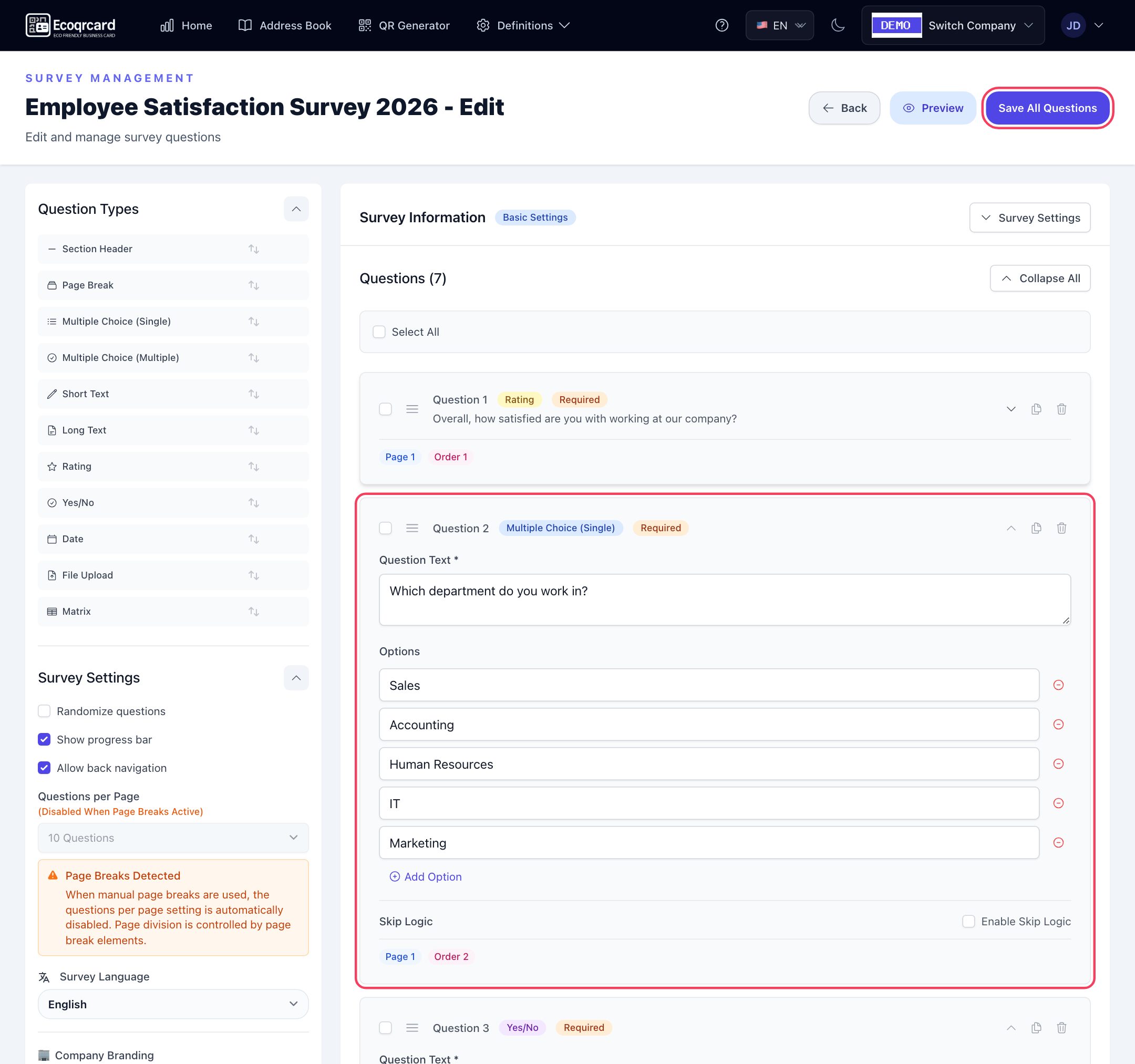
- Drag-and-drop builder: Single and multiple choice, short and long text, rating (stars, numbers or like/dislike), yes/no, date, file upload and matrix questions; section headers and page breaks.
- Scales: You set the range of the rating question (minimum 1, maximum 10). A 1-5 scale for CSAT can be set up directly. Because standard NPS uses a 0-10 scale, you can ask an NPS-style question with a 1-10 range; the results show the average score and the score distribution, and you calculate the NPS from that distribution yourself.
- Skip logic: Depending on the answer given, you can send participants to another page or end the survey.
- Anonymous or identified: In identified surveys, participants enter their email address before starting.
- Limits: Expiry date and maximum number of responses.
- Distribution: Link, downloadable QR code, WhatsApp and invitations sent from your company's own email server (email invitations require your company's SMTP settings to be configured); bulk upload of the participant list via Excel. In an identified survey, once you add at least one person to the distribution list, only the email addresses on the list can take part; keep this in mind if you want to collect responses via a public QR code.
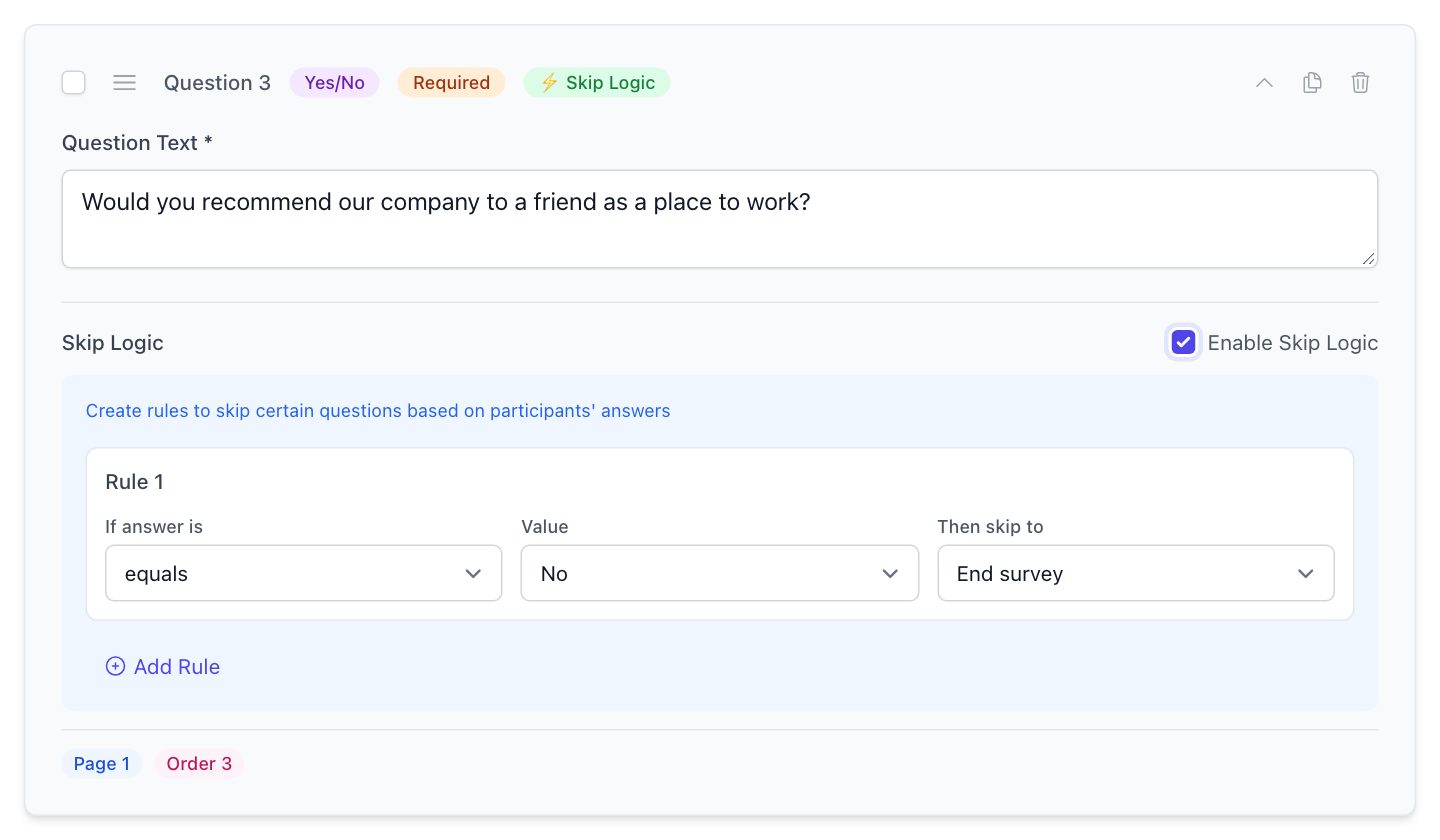
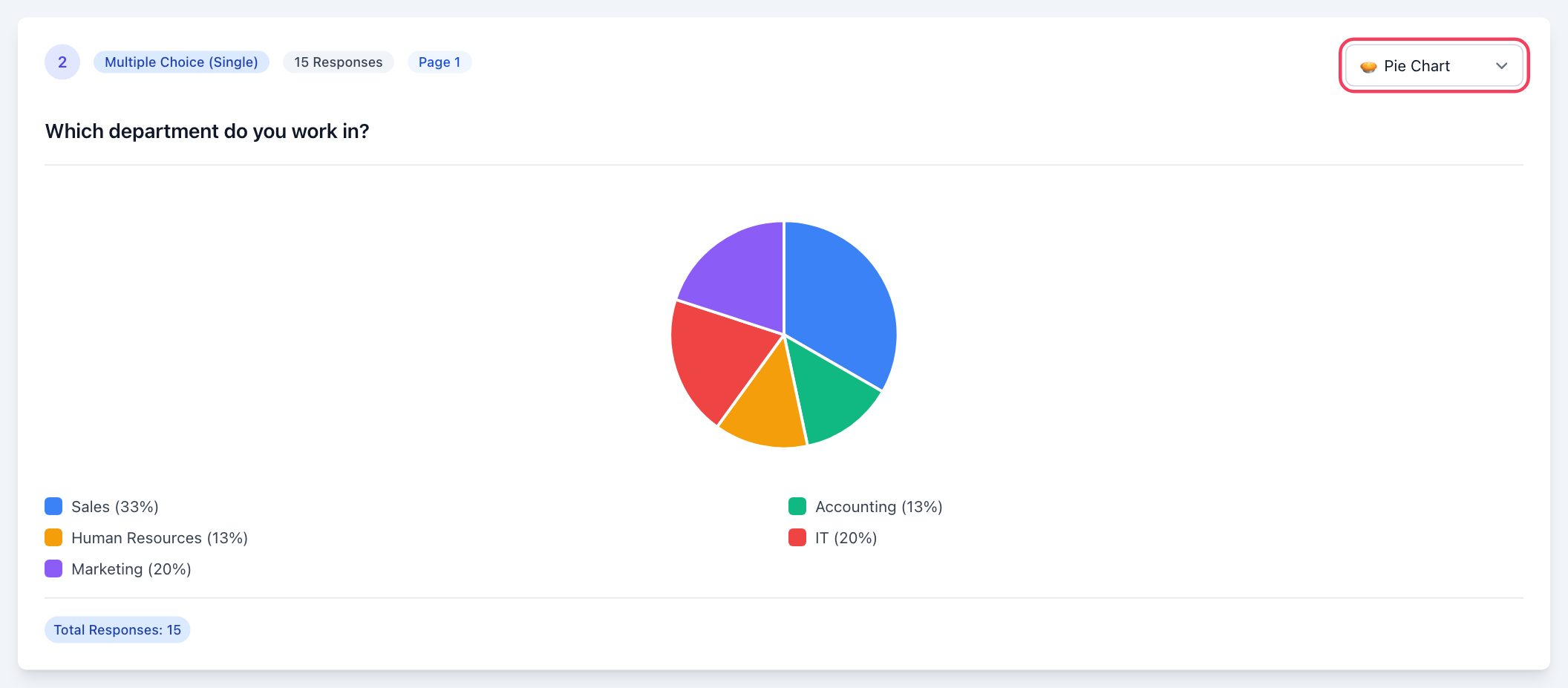
As responses come in, charts are created automatically for each question; you can change the chart type, review each participant's answers one by one and turn all results into a printable report (which can be saved as a PDF). Exporting responses to Excel is not currently available; the report is the output to present to management. Administrators decide, user by user, which employees can create surveys, edit them or view results.
To manage the survey code together with your other QR codes in your shop or at your event, you can also use the Survey and Feedback types in the QR Generator.
If you would like to collect and report on customer feedback regularly, fill in the quote request form and we will plan a setup that fits your use case together.
Frequently Asked Questions
How many questions should a customer satisfaction survey have?
For a short post-service satisfaction survey, 5-10 questions and 2-3 minutes is a good target. You can shorten the survey with skip logic so that each participant only sees the questions relevant to them.
What is the difference between CSAT and NPS?
CSAT measures satisfaction with a specific experience and usually uses a 1-5 scale. NPS measures how likely a customer is to recommend you to others on a 0-10 scale and indicates overall loyalty. The two complement each other.
Should the survey be anonymous or identified?
Anonymous surveys are generally better for getting honest answers. If you want to follow up with customers who give low scores, you need an identified survey. Whichever you choose, state it clearly to participants.
How should I get the survey to my customers?
A QR code in physical venues, a link in digital channels and email invitations for known customer lists are the most effective methods. In EcoQrCard you can use all three channels for the same survey; email invitations require your company's SMTP settings. In an identified survey, once you create a distribution list only the people on it can take part, so if you plan to collect responses publicly via a QR code, keep the survey anonymous or do not use a list.
Is it better to use a ready-made template or build a survey from scratch?
A ready-made template gives you a quick start, but always adapt it to your own goal. Remove unnecessary questions, add questions specific to your service and adjust the language to suit your customers.