Digital Business Cards
Paper vs. Digital Business Cards: Which Is Right for Your Company?
A comparison of printed and digital business cards on cost, environmental impact, ease of updating and measurability, with advice for companies planning the switch.
The business card is one of the oldest tools in business, and it still works. But the cost of regularly printing cards for every employee, the boxes that go in the bin whenever details change and never knowing what happens to a card once it is handed over are pushing many companies towards digital business cards. In this guide we compare the two options under four headings and give you a sample table for calculating your own costs, plus a switching plan.
Quick comparison
| Criterion | Paper business card | Digital business card |
|---|---|---|
| Initial setup | Design, proof, print order | Enter the details once |
| When details change | Reprint needed, old cards become unusable | Card page is updated, the QR code stays the same |
| New employee | Waits for the print run | Card can be ready the same day |
| Carrying | Box, wallet; can run out | On the phone; never runs out |
| Content | As much as fits on the card | Social media, website, catalog, documents |
| Saving to contacts | The other person types it in | Contact card in one tap |
| Measurability | None | Scan counts and trends |
| Environmental impact | Paper, ink, packaging, shipping, waste | The need for printed material largely disappears |
| Language | Usually one or two languages | The same card can open in several languages |
1. Cost: visible and hidden items
The unit price of a paper business card looks low. The real cost becomes clear when you look at how often cards are reprinted and how many boxes are thrown away unused. Items to take into account:
- Printing and packaging
- Time spent on design and proofs (usually by the marketing or office administration team)
- Shipping or distribution to branches
- Boxes thrown away unused when a job title, phone number, address or logo changes
- Urgent, small print runs for new hires
Sample cost calculation
The table below is based entirely on hypothetical example figures; it does not reflect actual market prices or the results of any study. Its purpose is to give you a framework you can fill in with your own company's numbers.
| Item (example assumption) | Calculation | Annual example amount |
|---|---|---|
| Employees who use business cards | 50 people | – |
| Boxes printed per person per year | 2 boxes | 100 boxes |
| Printing + packaging per box (example) | €20 | €2,000 |
| Reprints due to changed details (example: 20% of boxes) | 20 boxes × €20 | €400 |
| Distribution, shipping (example) | 12 shipments × €15 | €180 |
| Internal time spent on preparation (example) | 30 hours × €40 | €1,200 |
| Total (example) | €3,780 |
When you run your own numbers, pay particular attention to two lines: reprints and internal time. In companies with frequent promotions, department changes or office moves, these items grow quickly. The cost of a digital business card solution, on the other hand, is usually a licence fee based on the number of users; compare these two totals.
2. Environmental impact: why "Eco" matters
The environmental impact of a paper business card is not limited to one card. Paper production, ink and coatings, packaging, shipping and, above all, cards that are thrown away without ever being used are all part of the picture. The half-used box of cards in the drawer of an employee whose job title has changed is simply waste. Coated, laminated or foil-stamped cards can also make recycling harder.
A digital business card removes most of this cycle: when details change, no new cards are printed; only the card page is updated. For companies with sustainability goals, this is a concrete step that can be reported and easily explained to employees. Still, avoid exaggerated claims; a digital solution also consumes energy. The accurate way to put it is "reducing unnecessary printing and waste".
3. Updating: the biggest difference
The weakest point of a paper business card is that it is frozen. It carries the information that was correct on the day it was printed. When a phone number changes, the hundreds of cards you have handed out keep giving the wrong information.
With a digital business card, the QR code carries the address of the card page, not the details themselves. When something changes:
- The card page is updated instantly.
- QR codes and links that have already been shared show the current details.
- Shared information such as the company address or website is updated in one place in a central system and applied to every card.
This difference is decisive, especially for organizations that go through frequent structural changes, have several branches or are part of a group of companies.
4. Measurability
When you hand out 300 business cards at a trade show, you cannot know how many were kept or how many led to a call. With a digital business card, you can see how many times the card was opened, when activity peaked and which devices it was viewed on. This data is not a sales result in itself, but it helps answer questions such as:
- Are cards actually being opened after trade shows and events?
- Which teams are actively using their cards?
- Are the QR codes in email signatures and printed materials working?
When does a paper business card still make sense?
To be fair, it has to be said that a printed card can still be the right choice in some situations:
- Cultures and formal settings where exchanging business cards is a courtesy ritual
- An audience that is wary of technology
- Places where phones cannot be used
In these cases, the best solution is to keep a small number of printed cards and add the QR code of the digital business card to them. That way, the paper card also becomes a gateway to up-to-date information.
Switching plan: 5 steps
- Take stock of the current situation: How many people use business cards, how often are they printed each year, and when was the last reprint needed?
- Settle the shared information: Logo, address, branches, social media, website.
- Choose a pilot team: Start with the team that uses business cards the most, such as sales or business development.
- Decide where the card will be used: Phone screen, email signature, name badge, trade show booth, presentations.
- Measure the results: After a few months, look at the scan statistics and the printing costs.
What to look for in a digital business card solution
There are many apps on the market aimed at individual users. When deciding as a company, ask these questions:
- Central management: Do employees create the cards, or does the company manage them from one dashboard? Can shared information (address, logo, website) be updated in one place?
- Design consistency: Do all cards use the same corporate look?
- Staff changes: Can the card of an employee who leaves be switched off immediately, and can new hires get a card quickly?
- Bulk operations: Will you enter hundreds of employees one by one, or can you add them in bulk with a file such as an Excel sheet?
- Language support: Can your international customers view the card in their own language?
- Measurement: Can scan statistics be seen both company-wide and per card?
- Other channels: Are the same details also used in the email signature and the internal company directory?
- Security: Is access SSL-encrypted, and are administrator and user permissions separated?
A solution that answers "no" to most of these questions may work for a team of a few people, but at company scale it does little more than move the mess of paper business cards into the digital world.
What does the switch look like with EcoQrCard?
The EcoQrCard digital business card system is designed to manage the four areas above at company scale. The company administrator adds employees one by one or in bulk with the Excel template and creates a QR business card for each of them. The company name, address, logo and website are added to the cards automatically.
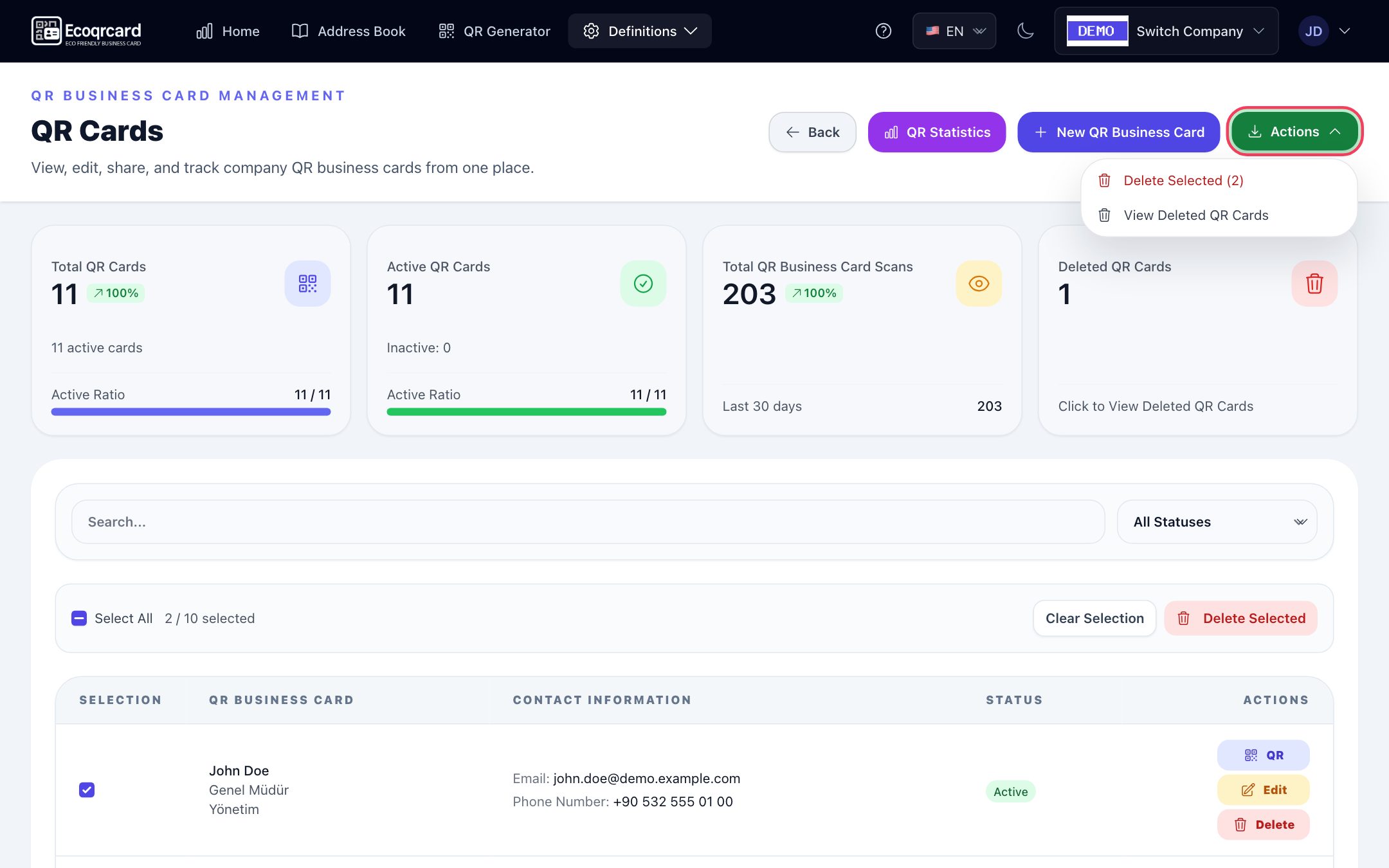
- Instant synchronization: When an employee's details change, their QR card is updated instantly; no reprinting is needed.
- Active / inactive: The card of an employee who leaves can be deactivated from the list in seconds; an inactive card does not open when scanned and can be reactivated with the same QR code if needed.
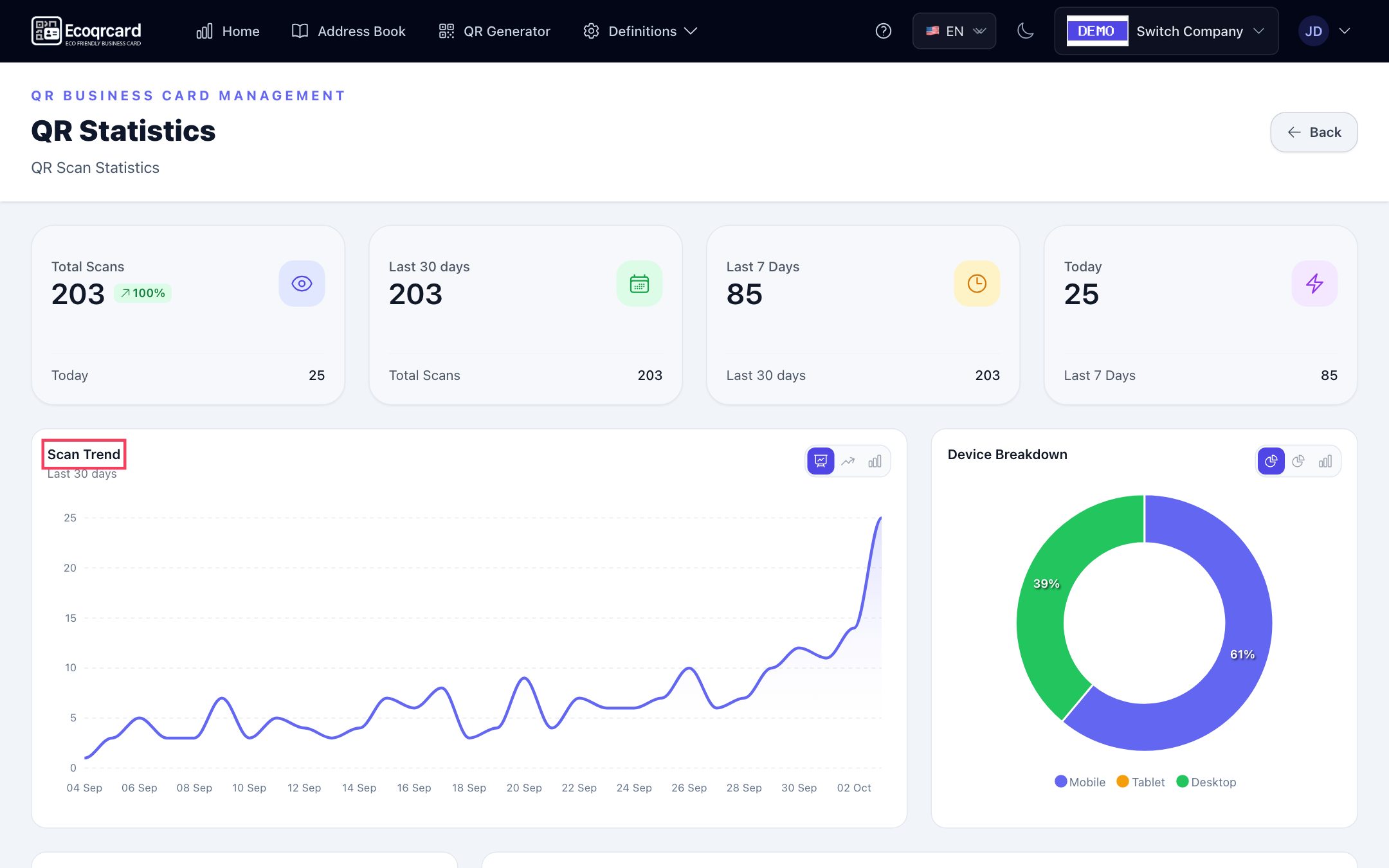
- Real-time analytics: Total and period scans, device breakdown, hourly activity and the most-scanned cards.
- 5 languages: The same card can open in Turkish, English, Azerbaijani, Russian and German; the employee chooses the QR code's language before sharing.
- Email signature: Each employee's email signature with a QR code is generated automatically from their business card details.
- Address book: Employees reach their colleagues' cards through the company address book.
If you would like to run a comparison with your own numbers and see the right licence structure for your company, request a quote. If you are curious about the basics, start with our guide what is a digital business card.
Frequently Asked Questions
Are digital business cards really cheaper?
That depends on how often your company prints, how many employees you have and how often details change. The most reliable approach is to fill in the sample table above with your own numbers and compare the result with the licence cost of a digital solution. For companies that reprint often, the difference is usually clear.
What if my customers do not know how to use a digital business card?
On most phones, scanning a QR code simply means pointing the camera at it. For someone who does not want to scan the code, you can also send the link via WhatsApp or email, or share the contact card file.
Should we stop using printed business cards altogether?
Not necessarily. Many companies cut printed cards down to a minimum and add the digital business card's QR code to the ones they keep. That way, even if the printed card goes out of date, the QR code shows the current details.
Are digital business cards really better for the environment?
When you consider the production, packaging and transport of printed cards, and especially the boxes thrown away unused, a digital business card clearly reduces unnecessary printing and waste. Bearing in mind that digital solutions also use energy, the main gain is best described as "avoiding unnecessary printing".
How long does the switch take?
If the shared company information is ready and the employee list is in Excel, creating the cards takes little time. What takes longer is getting teams used to using the card in their daily work, which is why we recommend starting with a pilot team.