Industries
QR Codes and Digital Business Cards for Hotels
How hotels can plan, place and measure QR codes for Wi-Fi, menus, feedback, the hotel guide and staff business cards.
A hotel guest asks dozens of small questions during their stay: What's the Wi-Fi password, what time is breakfast, where's the spa, who do I tell about a problem? Most of these questions can be answered without a trip to reception, using a few QR codes in the right places. This guide explains how hotels can use QR codes and digital business cards to make the guest experience easier, reduce the load on staff and collect feedback.
Why do QR codes work in hotels?
- Guests find information themselves: They scan a code instead of calling reception.
- Less printed material: In-room information folders and menus don't need constant reprinting.
- Information stays current: With dynamic codes, the printed code stays the same when the content changes.
- Feedback is easier: Guests can share their experience immediately, during their stay.
- Measurement becomes possible: You can see how much each code is used.
Where hotels can use QR codes
| Area | What the QR code opens | Recommended type |
|---|---|---|
| Rooms and lobby | Connecting to the guest Wi-Fi network | Wi-Fi |
| Restaurant and room service | Current menu and prices | Restaurant menu (to your existing menu page) or PDF |
| In-room information card | Hotel guide: opening hours, services, house rules | Document hub or multi-link |
| Reception and check-out | Satisfaction survey | Survey or feedback |
| Rooms and common areas | Reporting a fault or a request | Service request or complaint / suggestion (link to your form) |
| Spa, meeting rooms | Appointment or booking page | Appointment |
| Events and conferences | Programme and event page | Event or PDF |
| Emergency information boards | Emergency information page | Emergency info |
| Staff name badges, signatures | Contact details of the sales and guest relations team | Digital business card |
Wi-Fi QR code
The question hotels hear most is "What's the Wi-Fi password?" You can put the code on the in-room information card, on lobby tables and in meeting rooms. A Wi-Fi code can work in two ways:
- Static Wi-Fi code: The network name and password are written directly into the code. Most phones offer to join the network when the code is scanned, so guests don't type the password. But when the password changes, you need to create a new code and replace the printed cards.
- Dynamic Wi-Fi code: The code opens a connection page showing the network name, security type and password, and the guest connects to the network manually. When the password changes, you only update the code's content; the printed card stays the same and you can also see how many times it was scanned.
A dynamic code suits hotels that change the password often; a static code suits those who want one-tap connection. For details, see our guide to creating a Wi-Fi QR code.
Restaurant and room service menus
Menu prices and dishes change with the seasons. With a dynamic menu code you can update the content without reprinting table tents or in-room menus: you replace the menu PDF with a new one or point the code to a new menu page. Make sure the menu is easy to read, allergen information is clearly visible and the page loads quickly on a phone. You'll find detailed tips in our guide to QR codes for restaurant menus.
Guest feedback
Collecting feedback during the stay, rather than only asking for it by email after check-out, gives you a chance to fix problems before the guest leaves. You can place a code with "How is your stay going?" on the in-room card or at reception.
Tips for the feedback form:
- Keep it short: 3–5 questions are enough during a stay.
- Ask by department: Have guests rate areas such as room cleanliness, reception and the restaurant separately.
- Add an open-ended question: "What could we have done better?"
- Consider an anonymous option: Some guests speak more openly without giving their name.
- Respond: Name an owner so the team can act quickly on negative feedback.
For feedback and complaint processes, see our guide to QR codes for feedback and complaints.
Digital business cards for staff
The hotel sales team, event coordinators and guest relations managers meet travel agencies, corporate clients and event organisers all day long. Their digital business cards bring phone, email, hotel address and social media accounts together in a single code. The corporate client scans the code and saves the details to their contacts; when staff change, the card is updated too.
Hotel guide and in-room information
Thick information folders in rooms are costly to print and often go out of date. Instead, you can bring breakfast and restaurant hours, pool and spa rules, check-out time, transfer options, local sights and frequently asked questions together in a single digital guide. You can prepare the guide as a PDF or use a format that gathers several links and documents on one page. With a dynamic code, the guide is updated as the season changes while the card in the room stays the same.
Meeting and event guests
For conferences and meetings, you can put a code at the entrance to the room that opens the event programme, speaker information and floor plan. Offering a short evaluation survey at the end of the event makes it easier to report back to your organiser client. For details, see our guide to the post-event feedback survey.
Rollout plan
- Map the guest journey: List the information guests need at arrival, in the room, at the restaurant, in common areas and at check-out.
- Decide on the codes: Plan one single-purpose code for each need.
- Prepare the content: Make sure menus, guides and surveys display properly on a phone.
- Run a pilot: Try it in a few rooms and in the restaurant, and gather feedback from staff and guests.
- Roll out and measure: Apply it across the hotel and monitor scan data regularly.
Placement and design tips
- Write what each code is for next to it: For example "Connect to Wi-Fi" or "View the menu".
- Place codes at eye level in well-lit spots: Scanning is harder in dim restaurants and corridors.
- Print them large enough: A table tent and a lobby board need different sizes.
- Keep the contrast: Dark code, light background. Don't sacrifice readability when using hotel colours.
- Think multilingual: Pages opened by international guests should be in a language they understand.
- Test regularly: Check the codes with a few different phones at the start of every season.
Common mistakes
- Loading everything onto one code so guests can't find what they're looking for
- Printing a menu with a static code, so the old menu opens when prices change
- Not updating in-room codes when the Wi-Fi password changes
- Collecting feedback that nobody follows up
- Testing codes only on the hotel's own Wi-Fi and forgetting about mobile data
Your hotel's QR codes with EcoQrCard
EcoQrCard's QR Generator module offers more than 25 QR types. The ones that stand out for hotels are Wi-Fi, PDF, multi-link, document hub, restaurant menu, feedback, survey, appointment, service request, complaint / suggestion, event, coupon and emergency info. Knowing two details makes them easier to use:
- File and link types: For the PDF, image and video types, you upload your file (up to 50 MB) directly; multi-link and document hub gather several links on one page. The restaurant menu, appointment, service request, complaint / suggestion, event, coupon and emergency info types redirect, via a landing page bearing your hotel's name, to a page you specify (e.g. your existing menu page, your booking system or an EcoQrCard survey); they do not create the form or menu themselves.
- Print image: You can add your hotel logo to codes and choose colours and a frame. Download the branded print image with the PNG button under the Live Preview on the code's edit screen; Download QR in the share window gives you a plain black-and-white code.
With dynamic codes, the printed code stays the same when the content changes; to pause a code temporarily, you can set it to Draft.
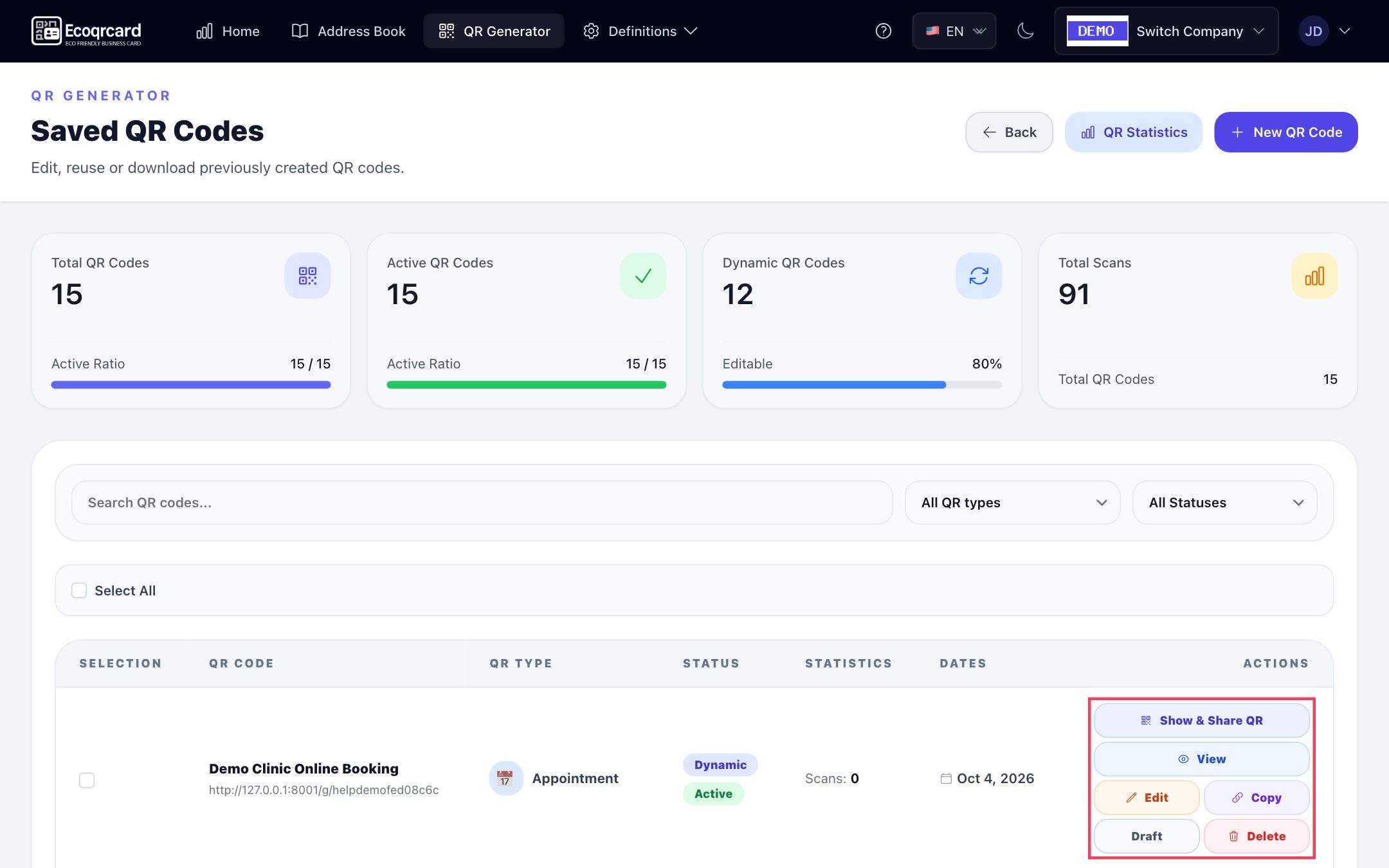
The real-time analytics screen shows total, last 30 days, last 7 days and today's scans for dynamic codes, along with the scan trend, device breakdown and most scanned codes; the list also shows each code's scan count. This lets you see whether the menu code or the hotel guide is used more. Scans of static codes are not counted.
For guest surveys, you use the survey system: you build your questions with the drag-and-drop editor, publish the survey as anonymous or identified, then download its QR code and print it on room cards. The language of each survey's participation page (Turkish, English, Azerbaijani, Russian or German) is chosen separately; for international guests, you can duplicate the survey, translate the questions into that language and publish a second version. In an identified survey, guests enter their email address before they start, so you can get back to a guest who reported a problem. Results are tracked with charts and turned into a printable report.
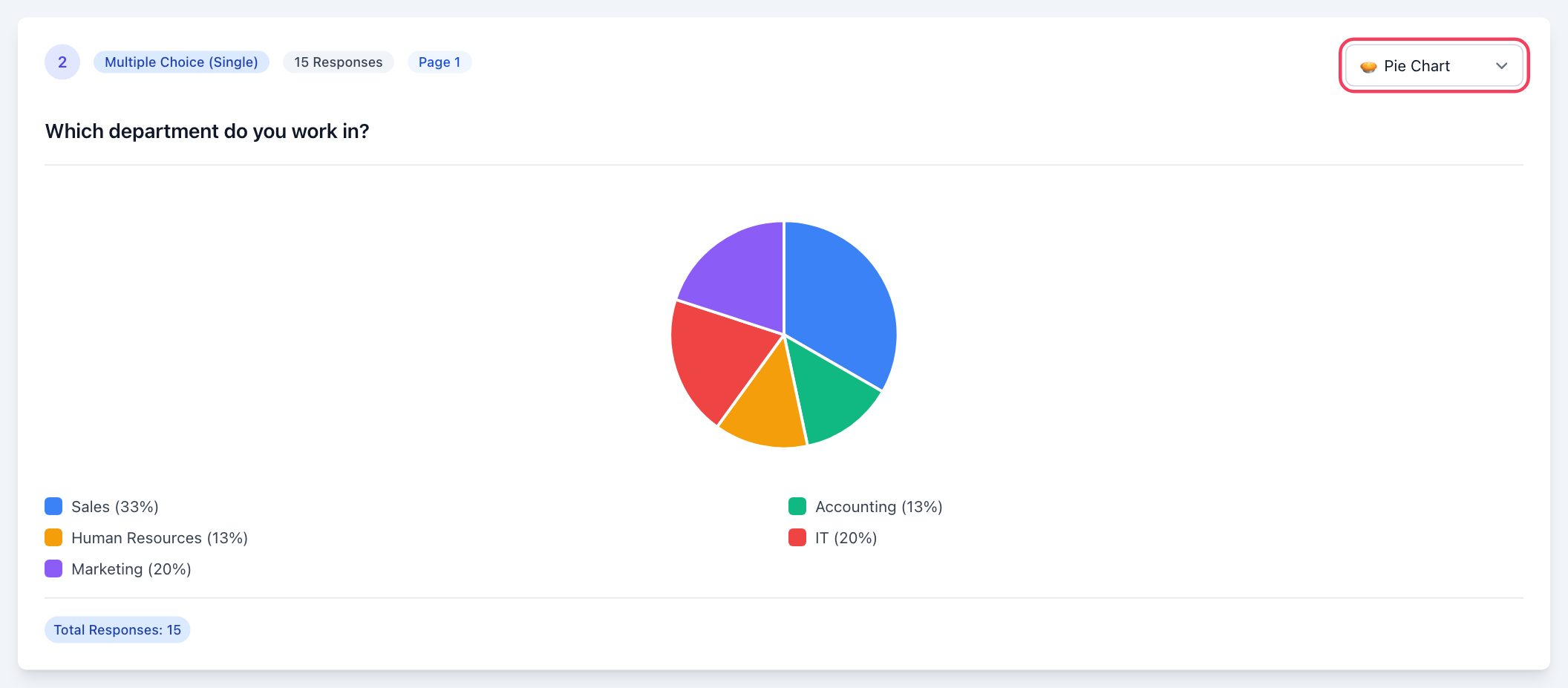
Digital business cards for your sales and guest relations team are managed from the same panel. Cards open in the language chosen from five options, carry your hotel's logo and colours and update instantly when staff details change.
To bring your hotel's QR codes, guest surveys and staff business cards together in one panel, fill in the quote request form and we will plan a setup that fits your hotel's needs.
Frequently Asked Questions
How many QR codes should there be in a hotel room?
Fewer and clearer is best. For most hotels, two or three codes on the in-room information card are enough: Wi-Fi, the hotel guide and feedback. Write what each code is for next to it.
If I change the Wi-Fi password, do I need to change the QR code too?
With a static Wi-Fi code, yes: the network name and password are written into the code, so when the password changes you need to create a new code and update the printed cards. With a dynamic Wi-Fi code, the code opens a page showing the network details; you update the password on that page and the printed code stays the same. In that case, the guest connects by entering the displayed password rather than with a single tap.
Should guest feedback be anonymous?
Both have their place. Anonymous surveys can bring more candid answers; identified surveys let you get back to the guest who had the problem. If you want to resolve issues during the stay, you can add contact details as an optional question.
How should QR content be prepared for international guests?
The page the code opens needs to be in a language the guest understands. Prepare content such as menus and guides in at least English as well. In EcoQrCard, digital business cards can open in Turkish, English, Azerbaijani, Russian and German; since the language of each survey is chosen separately, you can prepare separate versions of a survey for different languages.
How do I measure how much the QR codes are used?
Dynamic QR codes record every scan. By tracking scan counts and how they change over time, you can see which codes work and which need to be moved. Scans cannot be measured for static codes.